Model Selection
Choose the right AI model for your task
Cursor supports multiple AI models, each with its own strengths and use cases. Choosing the right model helps balance effectiveness and cost.
Model Recommendation and Selection Strategy
- Prefer the latest Claude / Gemini models - Strongest code generation and understanding capabilities
- Thinking models perform better - Models with 🧠 symbol support Thinking but consume 2x Usage
- Add custom non-Thinking models - e.g.,
claude-4.5-sonnet(1x Usage) for simple tasks to save quota
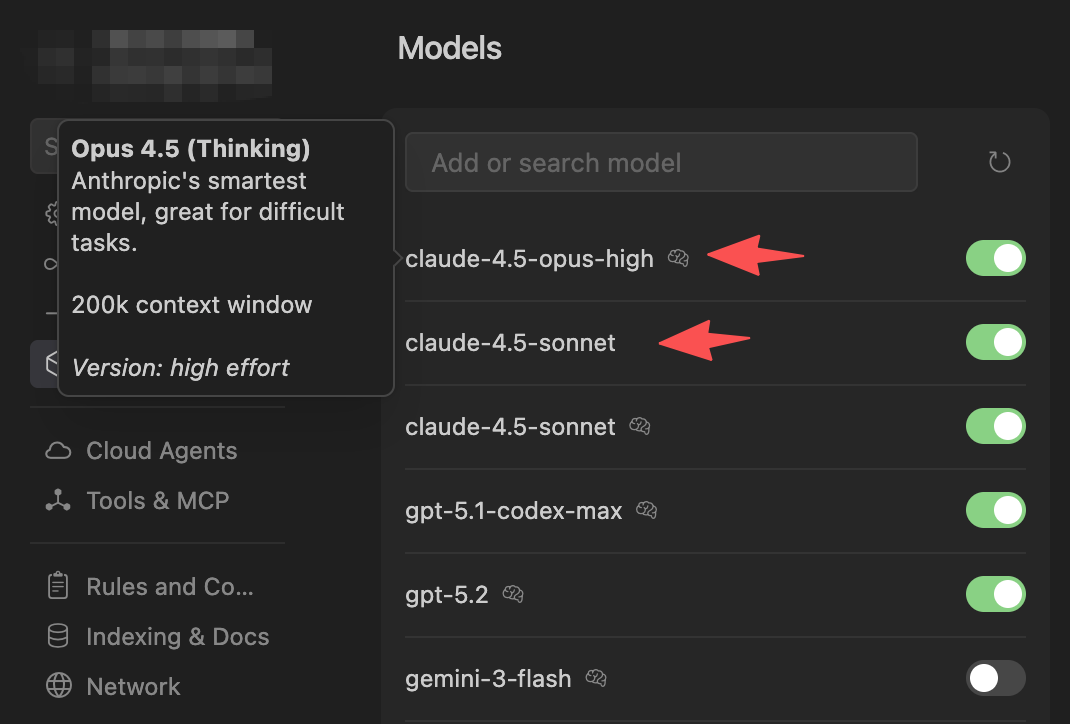
Coding Model Leaderboard Reference
Want to understand how different AI models perform on programming tasks? Check out the LMArena Coding Leaderboard , which is based on real user blind testing votes and objectively reflects the performance differences of various models in code generation, debugging, and other tasks.
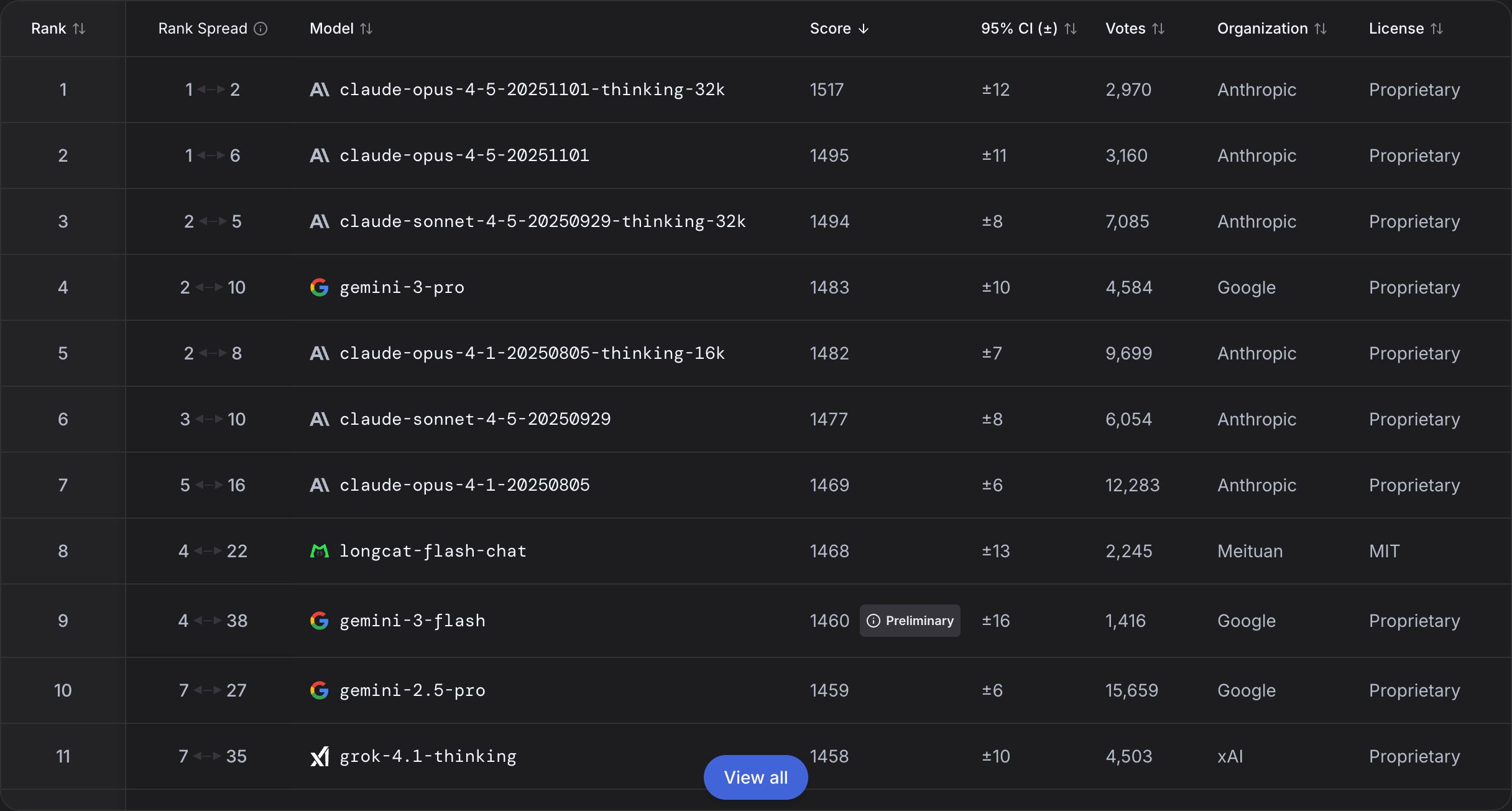
Key insights from the leaderboard:
- Claude Opus 4.5 and Claude Sonnet 4.5 (Thinking) perform best in programming tasks
- Gemini 3 Pro and Grok 4.1 (Thinking) also show excellent coding capabilities
- Thinking versions generally perform better in complex programming tasks
| Scenario | Recommended Model | Usage Multiplier | Description |
|---|---|---|---|
| Daily Coding | claude-4.5-opus-high | 2x | Most powerful model, cost-effective, suitable for daily coding |
| Simple Tasks | claude-4.5-sonnet | 1x | Save quota, suitable for simple tasks |
Tip for Context Usage: With powerful models like Opus, using more context in a single request is cost-effective. This makes techniques like progressive memory disclosure particularly valuable—let the Agent read as much relevant context as needed within one session.
Usage Consumption Comparison
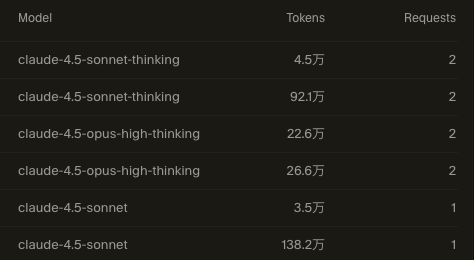
Tip: Visit the Cursor Dashboard to view detailed usage information.
Next Steps
After learning about model selection, explore how MCP tools can extend AI’s capabilities.